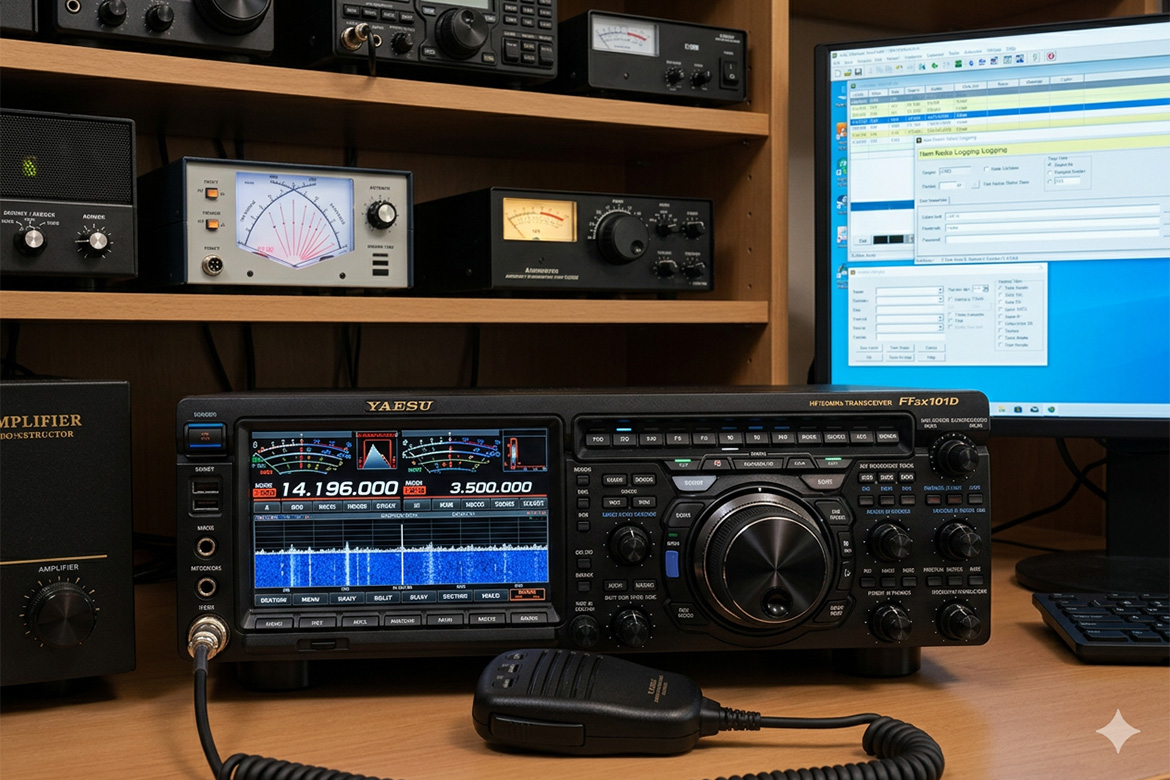
This is the second in a series of articles that I’m posting that will describe the process you need to go through to configure different programs to work with the Yaesu FTDX101D transceiver. I’m doing these articles because I just recently went through the setup process on my own system and found while there’s plenty of information out there, it’s sometimes confusing and often doesn’t fully describe what is happening during configuration process. I hope that these articles will simplify things and help other users that might be intimidated by the complexity of setting up their hardware. Before starting the process, you should review my previous post, ‘Installing and Configuring Device Drivers for the Yaesu FTDX101D’ to make sure your …
Technology
Overview This document is an attempt to explain the connections that are needed to interface a computer with the Yaesu FTDX101D, what each of those connections does and what you need to do to get your computer talking to your rig. While it’s written for the FTDX101D, I suspect the same information will apply to any modern Yaesu transceiver and with some minor changes could also be used to set up non-Yaesu rigs. Connecting your computer to your transceiver allows you to do all sorts of interesting things. You can control your rig from your computer, automate the logging process, run software that allows you to communicate with others using the various digital modes and many other things. While researching …
Improving the Music Inventory Example from Head First Object Oriented Analysis and Design
I’ve been refreshing my knowledge of software design by working through the book, ‘Head First Object Oriented Analysis and Design.’ One of the examples that they use to show how designs can evolve and be improved upon over time is an application that is used to track musical instruments inventory. The initial design of the app is poor in that it lacks maintainability and requires modification of existing classes (one of the no-no’s of SOLID design principles) and the addition of many new classes any time you want to add a new instrument type to the application. In chapter 5 of the book, they improve the design considerably by replacing unique classes for each instrument with a single class, InstrumentSpec …
The Horsehead Nebula and Flame Nebula (lower left). Narrowband hydrogen-alpha, sulfur II and oxygen III data was acquired over two nights, processed using Pixinsight and the channels were mapped to the Hubble Palette. Not my favorite color combination but it does bring out a lot of detail in the image. Astrophotography is tough. Before you can produce anything of interest, you first need to learn how to use your equipment to acquire images and then you need to learn how to use the software tools to process those images. On the acquisition side, you’re having to master the use of a lot of different hardware. You need to understand and be able to set up a telescope, a mount, an …
I was looking for a logger to use in some of my C++ projects and came across Easylogging++. It’s pretty easy to use and has a decent feature set, but like so many open source projects it’s a bit lacking in the documentation area. I wanted to set it up to do log rotation when the log file exceeded a given size but how to do this was not really clear. I played around with it this morning and finally figured out how accomplish what I wanted to do, so I’m sharing the code here in case anyone else is trying to solve the same problem. First the setup process: Download EasyLogging++ from the repository on GitHub at https://github.com/zuhd-org/easyloggingpp#configuration Unzip …
I just finished the process of installing an SSL certificate on my website and since I ran in to a few issues along the way, I thought I’d document the process here in the hope of saving someone some time and headaches in the future. I use InMotion Hosting for my domain provider but since the majority of the install process uses CPanel, I suspect that what I’ve done will apply to other providers as well. To perform the install of the certificate you will need SSH access to your site using Putty and also FTP access using the FTP program of your choice. First open PuTTY and enter in the host name and port for your site. In my …
I ran into a strange problem today. I’m setting up a new system and I wanted to place shortcuts to Windows Store applications on the desktop. To do so, I searched for the program in the start menu, and then attempted to drag the icon on to the screen. When I did this I was greeted with a strange looking icon. Even worse, clicking on the icon would just open a folder on the desktop instead of launching the desired program. With a bit of research I found that if you want to create a desktop icon for a Windows Store application you need to do things a little differently. First, press the Windows key and the ‘R’ key simultaneously. …